What Is Malware? Types, How It Spreads, and How to Remove It
A complete 2026 guide to malware: what it is, the main types from ransomware to infostealers, how it spreads and infects devices, the warning signs of an infection, and how to remove and prevent it.

Malware is the engine behind most of the cyberattacks that make headlines. Behind a large share of data breaches, ransomware incidents, and hijacked accounts sits a piece of malicious software doing the actual work. In 2026 that work is increasingly automated and commoditized: information-stealing malware has become the dominant credential-theft engine feeding the wider crime economy, and attackers have started using AI to help write and adapt their code. Understanding malware is one of the first steps to defending against it.
This guide explains malware in full — what it is, how it works, the major types, how it spreads, the warning signs of an infection, and how to remove and prevent it. It is part of our broader guide to the types of cyberattacks.
What Is Malware?
Malware — a contraction of “malicious software” — is any program written to harm a device, network, or user, or to give an attacker unauthorized access or control. It is an umbrella term, not a single thing: viruses, worms, trojans, ransomware, spyware, and infostealers are all forms of malware. What unites them is intent. That intent is what separates malware from a merely buggy but legitimate program.
What malware does once it arrives varies widely. Some steals passwords, session cookies, or financial data. Some encrypts files and demands a ransom. Some hijacks computing power, spies on activity, or simply opens a door for the next attacker. The one constant is that it operates against the interests of the device’s owner.
How Malware Works: The Infection Lifecycle
Most malware follows the same arc. It must first be delivered to the target device. It must then execute — often by tricking the user into running it, or by exploiting a software vulnerability so it launches with no interaction at all. Once running, capable malware tries to establish persistence so it survives a reboot and evades security tools. Finally it carries out its objective: theft, encryption, surveillance, or sabotage.
This lifecycle matters for defense, because malware can be broken at any stage — blocked before delivery, prevented from executing, or detected and removed after it runs. The diagram below shows the chain.
● THE MALWARE INFECTION LIFECYCLE Almost every infection moves through the same four stages — and can be stopped at any one of them. |
1 · DELIVERY The code reaches the device — a phishing attachment, a malicious ad, a drive-by download, a poisoned software update, or an infected USB. |
| ↓ |
2 · EXECUTION The payload runs — because a user opened it, or because an exploit fired against an unpatched flaw and launched it with no click at all. |
| ↓ |
3 · PERSISTENCE & EVASION Sophisticated malware digs in to survive a reboot, disables security tools, and hides to avoid detection. |
| ↓ |
4 · ACTION ON OBJECTIVE The damage lands — credentials and session tokens stolen, files encrypted for ransom, resources hijacked, or a backdoor left open for the next intruder. |
Framework reference: MITRE ATT&CK; CISA malware guidance. |
The Main Types of Malware
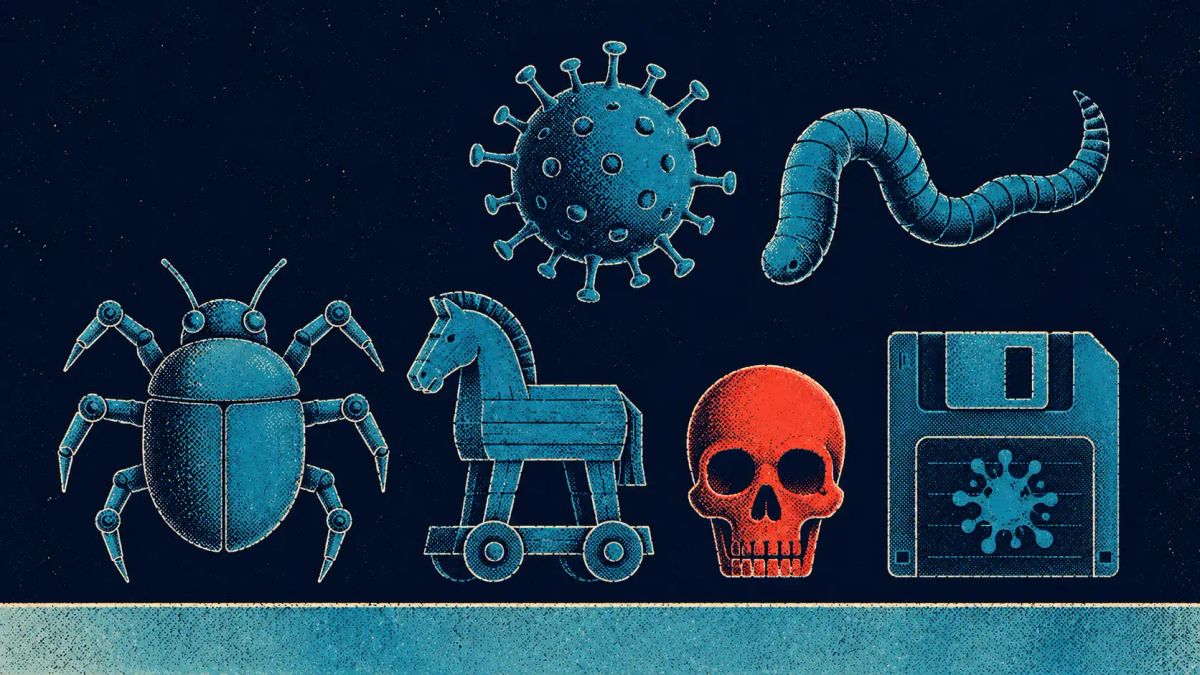
“Malware” spans many distinct categories, usually named for how they behave rather than what they target. The most important to know are:
- Viruses — malicious code that attaches to a legitimate file and spreads when that file is run.
- Worms — self-replicating malware that spreads across networks on its own, without a host file or user action.
- Trojans — malware disguised as legitimate software to trick the user into installing it; a common first-stage “loader” for other payloads.
- Ransomware — malware that encrypts the victim’s files, and increasingly steals them too, then demands payment. See our guide to ransomware definitions and attack stages.
- Infostealers — malware built to harvest passwords, browser session cookies, crypto wallets, and autofill data en masse; the fuel behind the 2026 credential-theft boom.
- Spyware — software that secretly monitors activity and collects information.
- Keyloggers — a form of spyware that records every keystroke to capture passwords and messages.
- Rootkits — malware that hides deep within a system to maintain stealthy, long-term access.
- Botnet malware — code that conscripts a device into a network of compromised machines controlled by an attacker, used for DDoS, spam, or proxying.
- Adware — software that floods a device with unwanted advertising, often bundled with other unwanted programs.
- Fileless malware — malicious activity that runs in memory using legitimate system tools, leaving little trace on disk and evading traditional antivirus.
- Wipers — destructive malware designed purely to erase data and disable systems, often used in sabotage and state-linked attacks rather than for profit.
Malware in 2026: Infostealers, Ransomware, and AI
Three shifts define the malware landscape in 2026. The first is the rise of the infostealer. Cheap, subscription-based stealers such as the Amadey and StealC families have industrialized credential theft, quietly siphoning billions of passwords and session tokens that are then resold to ransomware crews and account-takeover operators. In mid-2026, Microsoft and Europol disrupted Amadey and StealC infrastructure in a coordinated takedown — a sign of how central these tools have become. Stolen session cookies are especially prized because they can let an attacker bypass multi-factor authentication entirely.
The second is that ransomware remains the most financially damaging category, and now frequently arrives downstream of an infostealer infection or credential-stuffing attack that hands intruders a valid login. The third is AI-assisted malware: attackers are using large language models to draft malicious code, tailor phishing lures, and speed up development, while defenders race to counter it. A recent campaign showed stealers delivered through fake browser-fix “ClickFix” lures targeting Microsoft 365 accounts — social engineering and malware fused into one slick delivery chain.
How Malware Spreads
Malware cannot do anything until it reaches a device. The most common infection routes are:
- Phishing — malicious attachments or links in deceptive messages, still the single most common delivery method. See our guide to phishing.
- Drive-by downloads — compromised or malicious websites that deliver malware automatically, sometimes with no click required.
- Malvertising — malicious code hidden inside online ads on otherwise legitimate sites.
- Supply-chain compromise — malware slipped into trusted software updates, open-source packages, or vendor tools so it spreads to every downstream user.
- Exploiting vulnerabilities — unpatched flaws that let malware install without any user action. See what an exploit is.
- Removable media — infected USB drives that execute malware when plugged in.
Because so many of these routes depend on a person clicking, opening, or installing something, user awareness is one of the strongest defenses against malware.
Signs of a Malware Infection
Malware is often designed to stay hidden, but infections frequently leave clues. Warning signs include a device that becomes noticeably slower, frequent crashes or freezes, unexpected pop-up ads, programs launching on their own, unfamiliar applications appearing, settings changing without explanation, the device running hot, or unusual network activity. Security software being disabled is an especially serious sign, since much modern malware tries to switch off defenses first. That said, the most dangerous strains — infostealers and many rootkits — are built to leave no visible trace at all, which is why prevention and monitoring matter more than waiting for symptoms.
How to Remove Malware
If a device shows signs of infection, a methodical removal process gives the best chance of fully cleaning it:
- Disconnect from the internet to stop the malware communicating with attackers or spreading.
- Enter safe mode, which loads only essential software and can prevent some malware from running.
- Run a full scan with reputable, up-to-date security software and quarantine or delete what it finds.
- Remove suspicious programs and browser extensions manually if they remain.
- Change your passwords from a known-clean device, since malware may have captured them or stolen your session cookies.
- When in doubt, rebuild. For a serious or stubborn infection, wiping the device and restoring from a clean backup is the most reliable fix.
How to Prevent Malware Infections
Preventing malware is far easier than removing it, and the core defenses are consistent and well proven:
- Patch promptly. Keeping operating systems and applications updated closes the vulnerabilities malware uses to install itself silently.
- Use modern endpoint protection. Reputable antivirus, or endpoint detection and response (EDR) on business machines, catches known malware and flags suspicious behavior.
- Apply least privilege. Run day-to-day as a standard user, not an administrator, so a single infection cannot own the whole system.
- Be cautious with email and downloads. Do not open unexpected attachments, and install software only from trusted, official sources.
- Use unique passwords and MFA. Strong, unique credentials and multi-factor authentication limit the damage when data is stolen — ideally phishing-resistant MFA, since infostealers can defeat weaker forms.
- Back up your data. Regular, offline or immutable backups mean an infection — including ransomware — cannot cost you everything.
Authoritative guidance from CISA and the NIST malware-incident guide reinforces the same fundamentals: patch, restrict privilege, monitor, and keep recoverable backups.
Frequently Asked Questions
What is malware?
Malware, short for malicious software, is any program created to harm a device, network, or user, or to give an attacker unauthorized access or control. Viruses, worms, trojans, ransomware, spyware, and infostealers are all types of malware.
What is the difference between a virus and malware?
Malware is the umbrella term for all malicious software. A virus is one specific type — code that attaches to a file and spreads when that file runs. All viruses are malware, but not all malware is a virus.
What is the most common type of malware in 2026?
Information-stealing malware (infostealers) has become the most prevalent commodity threat, harvesting passwords and session cookies at scale, while ransomware remains the most financially damaging category.
How do I know if my device has malware?
Common signs include slow performance, frequent crashes, unexpected pop-ups, unfamiliar programs, settings changing on their own, and security software being disabled — though the stealthiest malware shows no symptoms at all.
Can malware be removed?
Yes. Most malware can be removed by disconnecting from the internet, booting into safe mode, and running a full scan with reputable security software. For severe infections, wiping the device and restoring from a clean backup is the most reliable solution.
Further Reading
- Types of Cyberattacks: The Complete Guide — The CyberSignal
- Ransomware: Definition, Attack Stages, and Prevention — The CyberSignal
- Operation Endgame: Amadey and StealC Infostealer Takedown — The CyberSignal
- CISA — Malware, Phishing, and Ransomware
- NIST SP 800-83 — Guide to Malware Incident Prevention and Handling
- MITRE ATT&CK — Adversary Tactics and Techniques