Microsoft Edge Loads All Your Passwords in Plaintext RAM. Microsoft Says It's Working as Intended.
Norwegian researcher Tom Jøran Sønstebyseter Rønning of Statnett SF demonstrated at the Palo Alto Networks Norway BIG Bite of Tech conference that Microsoft Edge keeps every saved password loaded in plaintext RAM during a browser session. Microsoft's response: by design.

Memory is fair game for any process running with user-level privileges. Microsoft says that's the user's problem to solve at the OS layer, not the browser's. The implication for password manager strategy is the only operationally interesting part.
OSLO — Norwegian security researcher Tom Jøran Sønstebyseter Rønning of Statnett SF, the operator of Norway's national power grid, demonstrated at the Palo Alto Networks Norway BIG Bite of Tech conference that Microsoft Edge holds every saved password — across every site for which a credential is stored — in plaintext RAM throughout the lifetime of an active browser session. Rønning's proof-of-concept tooling extracted credentials directly from the running Edge process memory using standard Windows process-inspection APIs. Microsoft's response, communicated to multiple publications: this is by design.
The implication is not that there is a new vulnerability in Edge. The implication is that browser-resident password storage in Edge has a documented architectural limitation that defenders need to factor into their password manager and credential exposure modeling, particularly for organizations whose employees rely on the browser's built-in password storage rather than a dedicated password manager. The pattern fits alongside the broader 2026 SaaS-era credential exposure pattern: credentials living in lots of places that defenders thought were safe, surfaced through tooling that doesn't require advanced tradecraft to use.
What the demonstration showed
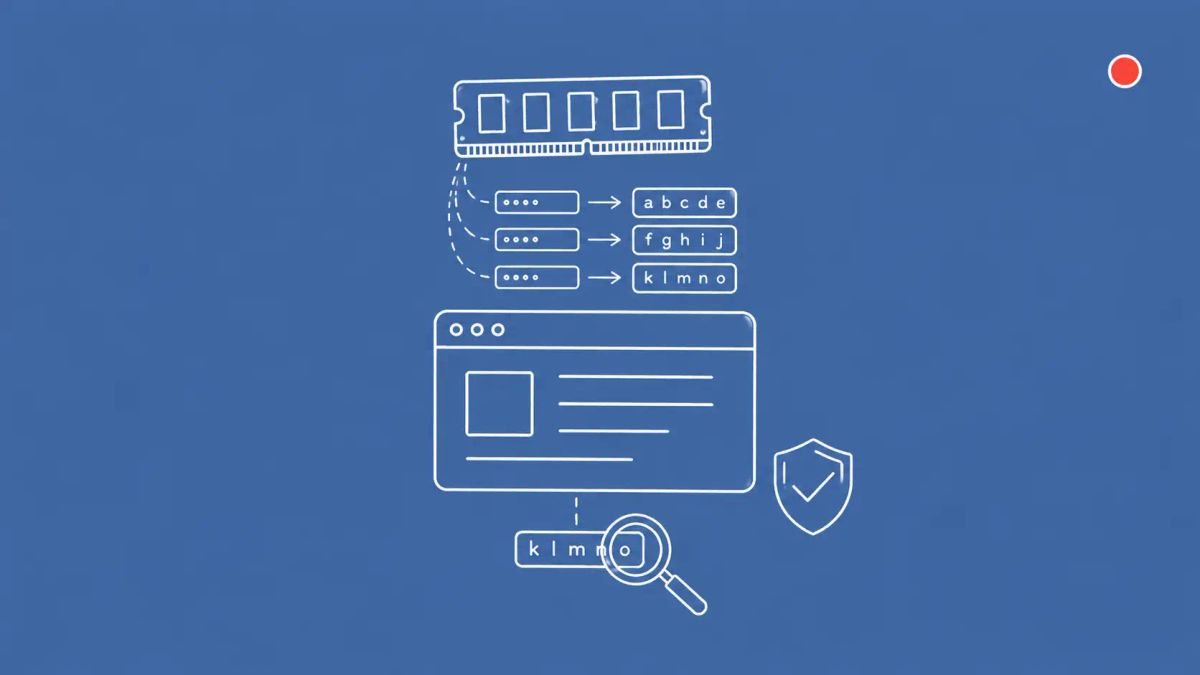
Rønning's research is consistent with how Chromium-based browsers, including Microsoft Edge, decrypt and load saved credentials into memory at session start to make them available to the autofill subsystem. The encrypted credential database lives on disk; once Edge is running, the cleartext copies are kept in process memory for performance reasons. Any process running with user-level privileges on the same machine — that includes any infostealer malware that runs as the user, any malicious browser extension, any RAT installed on the endpoint — can read another process's memory using standard Windows APIs and pull the cleartext credentials out.
This is not a novel attack. Memory scraping is a standard capability of every infostealer family currently in active circulation, including Redline, Raccoon, Lumma, and the dozens of operator-rebranded variants. What Rønning's research does is document the specific extraction path for Microsoft Edge's saved password storage and quantify how comprehensively credentials are exposed in process memory for the duration of a browser session.
Microsoft's "by design" response
Microsoft's position, communicated to outlets covering the disclosure, is that endpoint memory protection is the operating system's responsibility, not the browser's. Microsoft's threat model for browser-stored passwords assumes that an attacker who has user-level access to the machine has already won, and that the browser's storage encryption is not a meaningful defense against that adversary. This is a defensible technical position. It is also a position that puts the operational responsibility on enterprise endpoint defenses to detect and prevent the precondition — malicious processes running with user privileges — rather than on the browser to make memory scraping harder.
For organizations relying on Edge's built-in password storage as a password manager substitute, this is the implication: in your threat model, treat Edge-stored credentials as exposed any time an infostealer or other user-privileged malicious process runs on the endpoint. That is a different operational profile than a dedicated password manager that requires unlocking before serving a credential and clears the credential from memory after use.
Why dedicated password managers behave differently
Dedicated password managers like 1Password, Bitwarden, and Dashlane implement two operational properties that Edge does not: master-password unlock to decrypt the credential vault for use, and aggressive clearing of decrypted credentials from memory after the autofill operation completes. This means a dedicated password manager exposes only the most recently used credential to memory scraping for a brief window, rather than every saved credential continuously throughout the browser session.
Neither approach is invulnerable. An infostealer with user-level access can still capture credentials at the moment of autofill from a dedicated password manager. But the exposure surface is materially smaller: one credential at a time, briefly, rather than every credential, continuously. For risk modeling purposes, that is the operationally meaningful difference.
The CyberSignal Analysis
Signal 01 — "By design" is a policy statement, not a defense
Microsoft's "by design" framing is technically accurate and operationally insufficient. The browser-resident password storage was designed for a threat model in which user-level malware was rare and the alternative was passwords on Post-it notes. That threat model no longer holds — infostealer malware is now industrial-scale, ubiquitous, and explicitly designed to scrape browser memory. Vendors should be updating their architectures to reflect the threat model that exists in 2026, not the one that existed when Chromium password storage was originally specified.
Signal 02 — Built-in browser password storage is now a policy choice
Most enterprise password policies treat "use a password manager" as binary: either the user does, or they don't. Browser-built-in storage falls into a gray zone where many users behave as though they have a password manager, but the operational properties are different. Update policy language to specify an approved password manager class — dedicated, master-password protected, with memory clearing — and disable browser password storage via Group Policy where possible.
Signal 03 — Memory protection is now an EDR feature requirement
If your endpoint protection stack does not detect and alert on cross-process memory access against browser processes, this is the request to make to your EDR vendor. The detection logic exists; the question is whether your specific deployment has it enabled. Audit. The same control catches infostealer credential harvesting more broadly, not just the Edge-specific path.
What to do this week
- Disable Edge built-in password storage via Group Policy at the enterprise scope, and migrate users to an approved dedicated password manager. The relevant Edge ADMX policy is in the Edge Enterprise documentation.
- Update endpoint detection rules to alert on cross-process memory read access against browser processes. The detection signature is OS-API-level; coordinate with your EDR vendor on the specific rule.
- Brief security awareness on the practical difference between browser-built-in password storage and dedicated password managers. Most users do not know the operational distinction.