Researchers Document “ClickLock” macOS Stealer That Reportedly Kills Apps Until Victim Enters Password
A novel macOS stealer technique with credential-and-crypto targeting — defender posture review for Mac-issuing organizations this week.

A forced-interaction macOS stealer technique aimed at the one control users still hold — their password — and what Mac-issuing organizations should review this week.
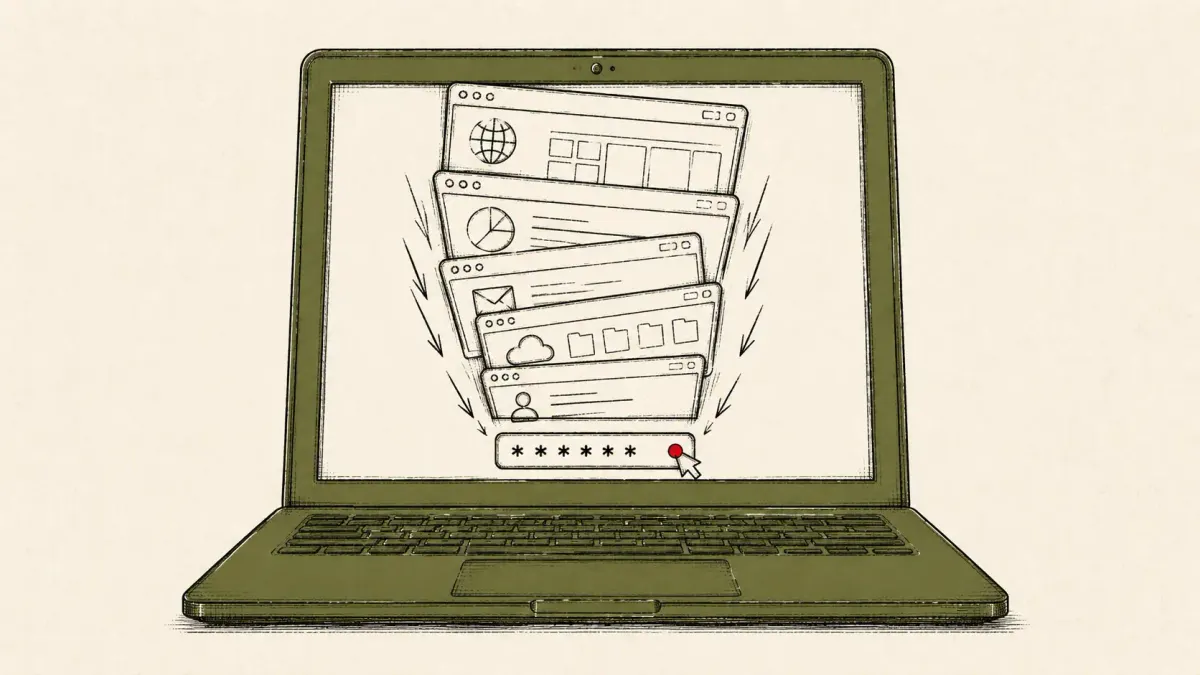
CUPERTINO, CALIF. — Security researchers and multiple industry outlets on July 16, 2026 documented a modular macOS information stealer tracked as “ClickLock” that, according to the reporting, forces a person to surrender their login password by killing running applications on a fast loop until the password is entered. The finding matters to defenders less for any individual step in the delivery chain than for the coercion technique it reportedly introduces: rather than tricking a user into an approval, the malware reportedly makes the machine unusable until the person types the one secret that unlocks the rest of the theft.
The disclosure reads as a research-and-verification story rather than an operational how-to, and that is how The CyberSignal is treating it — we are not reconstructing the delivery chain or the pasted command. As reported by The Hacker News, the stealer reportedly kills applications every ~210 milliseconds until a password lands, then reaches for browser credentials, the Keychain, and cryptocurrency wallets. Coverage from SecurityWeek puts the reported scope at at least 100 users, and The Register frames delivery as a ClickFix-style Terminal paste. The pattern rhymes with earlier macOS social-engineering coverage, including North Korean operators using AppleScript and ClickFix on macOS.
What Multi-Source Research Documented
The story arrives with unusual convergence: The Register, Infosecurity Magazine, SecurityWeek, and The Hacker News each documented the same core capability on July 16, 2026 — a macOS stealer, tracked as “ClickLock,” that reportedly coerces password entry by rendering the desktop unusable. That multi-source alignment is part of why The CyberSignal is covering it as a defender-review item rather than waiting: independent outlets describing the same behavior raises the confidence that the technique is real, even where individual details remain unverified. As SecurityWeek reports it, at least 100 users have reportedly been affected, and the malware reportedly targets login passwords and cryptocurrency wallets.
Two facts do most of the defensive work in the reporting, and both are about behavior rather than any exploited flaw. First, the stealer is described as modular, suggesting a kit that can be reused and recombined rather than a single throwaway sample. Second, its distinguishing move is coercion: reporting frames the kill-loop as forced-interaction malware whose only purpose is to make refusal untenable. The CyberSignal is not reconstructing how the components fit together; what is defensively relevant is the claim itself — that a person who declines the initial prompt is not left alone but is pressured until they comply.
It is worth stating plainly what public reporting has not established. There is no named threat cluster tied to the activity in the reporting reviewed here, the specific distribution channels and lure pages are reportedly unconfirmed, total infections are not established, and whether Apple has revoked any associated developer IDs is not confirmed. Those gaps do not diminish the defender takeaway; they bound it.
The Kill-Loop-Until-Password Technique in Defender-Team Terms
Stripped to what a defender needs, the reported technique inverts the usual social-engineering script. Most credential-theft lures depend on a moment of misplaced trust — a convincing prompt, a familiar-looking dialog, a single approval. ClickLock reportedly does not rely on that moment landing. If the initial ask is declined, the reporting says the malware kills user-facing applications on a fast loop, every ~210 milliseconds, so that the machine cycles into unusability and a password box is what remains on screen. The design reportedly bets that a person staring at a dying desktop will eventually type their password to make it stop.
For detection and response, the useful reframing is that this is a behavioral tell, not a stealthy one. A Mac that begins rapidly and repeatedly terminating its own foreground applications is producing a signal with, as researchers put it, no legitimate use case. Reporting also indicates the malware reportedly installs two LaunchAgents for persistence — the macOS mechanism that relaunches components at login — which is another observable artifact rather than an invisible one. That combination, forced application termination paired with new LaunchAgents written by a shell process, is the kind of post-execution behavior that endpoint detection can catch when the sensors are present. It is the same lesson The CyberSignal drew from research on what a standard user can disable on a managed Mac: the gate is not the only place to watch.
The human-factors point is equally important and does not require any technical detail. Because the coercion reportedly works by pressure rather than deception, the countermeasure is a rule users can hold onto: no legitimate verification step needs you to enter your Mac login password to stop your applications from closing. A machine that is destroying its own session to extract a password is misbehaving, and the correct response is to stop and disengage, not to comply.
Continuation Context: Brief #183 (CrashStealer)
ClickLock lands weeks after The CyberSignal covered “CrashStealer,” a macOS stealer that reportedly used a notarized dropper to pass Gatekeeper while posing as Apple's crash-reporting tool. Read together, the two disclosures sketch a theme worth naming for Mac fleets: macOS information stealers are iterating on the human and trust layers, not just the technical ones. CrashStealer reportedly borrowed Apple's own trust signals to look safe; ClickLock reportedly abandons the pretense of safety and coerces instead.
The through-line is that neither disclosure hinges on a novel operating-system exploit. Both reportedly reach a Mac by working the person at the keyboard — one by impersonating a first-party utility, the other by making the desktop unusable — which is the same social-engineering instinct The CyberSignal has tracked across macOS incidents such as the Jinx-0164 recruitment lures aimed at macOS crypto developers. For defenders, the practical consequence is that a Mac-fleet review scoped to one of these techniques should really be scoped to the class.
Defender Posture for macOS Environments and End-User Awareness
The review that follows from this class of disclosure does not require knowing how ClickLock is assembled. It centers on four questions a Mac-issuing organization can act on now. First, does endpoint detection and response (EDR) coverage extend to macOS at parity with Windows, so that forced application termination, new LaunchAgents, and credential-store access are actually instrumented? Second, is LaunchAgents creation by shell processes monitored, since persistence written to a user's Library is one of the more reliable artifacts here? Third, are users primed to recognize coercion, not just deception? And fourth, is there a fast, blameless path for a user to report a Mac that has started misbehaving?
EDR parity is the control most worth confirming, because many organizations still run lighter telemetry on Macs than on Windows endpoints — exactly where executives and developers often work. A stealer that coerces a password still generates post-execution behavior a behavioral sensor can see. The same instinct applies to the delivery vector reporting describes: ClickFix-style Terminal-paste lures are a recurring macOS theme, seen in coverage of ClickFix and Vidar activity targeting infrastructure via WordPress and in fake-Cloudflare ClickFix pages pushing infostealers. User awareness for those lures is specific and teachable: a web page that asks you to copy text and paste it into Terminal to “verify” or “fix” something is the pattern, and the correct move is to refuse.
End-user awareness rounds out the posture. Because ClickLock's edge is reportedly coercion, the workforce message is a single, memorable rule: if your Mac starts closing its own apps and leaves a password prompt on screen, do not type your password — power the machine down and report it. Pairing that with prompt reporting of anything that pressures a password entry gives defenders a human tripwire that does not depend on catching the initial lure.
Apple's Response and What to Watch For
Apple's formal response is not established in the reporting reviewed here, and The CyberSignal is not asserting one. What defenders can watch for is structural. Apple has continued to harden macOS against paste-driven social engineering, including warnings around suspicious Terminal paste activity in recent releases; whether and how those mitigations engage with a technique like this is a live question rather than a settled one, and reporting suggests operators have repeatedly engineered around such guardrails.
The concrete watch items are therefore verification, not assumption. Confirm that managed Macs can reach Apple's trust and revocation services and are not inadvertently cut off by egress filtering, so that any future revocation of developer IDs tied to this activity actually takes effect on the fleet. Watch reputable outlets for confirmation of a named threat cluster, the distribution channels, and any Apple action — none of which is confirmed at the time of writing. Treat each as a fact to be verified rather than inferred.
It is also worth keeping the trust picture in proportion. Apple's ongoing investment in its platform security is a matter of record — see, for instance, its open-sourcing of post-quantum work in corecrypto — but platform hardening does not remove the human layer this technique reportedly targets. That is precisely why the compensating controls are behavioral detection and user awareness, not a single operating-system setting.
Open Questions
Several questions remain open, and The CyberSignal is not filling them with inference. No named threat cluster has been tied to the activity in the reporting reviewed here, and no confirmed accounting of operator identity is available; the malware is best understood, for now, as a documented capability rather than an attributed campaign. The specific distribution channels and lure pages are reportedly unconfirmed, which limits how precisely defenders can hunt for the front end.
Total infections are likewise unestablished. Public reporting cites at least 100 users reportedly affected, but that is a floor from one dataset, not a campaign total, and readers should resist inferring scale from it. Whether Apple has revoked any developer IDs associated with the activity is not confirmed, and this piece does not assert that it has.
What defenders can act on is unchanged by those gaps. Bring macOS EDR telemetry to parity, monitor for forced application termination and shell-written LaunchAgents, teach users to refuse Terminal-paste “verification” prompts and to power down a Mac that starts coercing a password, and verify that managed Macs can reach Apple's trust services. Those steps hold regardless of how attribution, scope, and Apple's formal response ultimately resolve.
The CyberSignal Analysis
The reported facts above come from multi-source disclosure; what follows is The CyberSignal's editorial reading of what defenders should take from them. None of the judgments below are new reported facts, and none assert attribution, an infection total, or an Apple action that public reporting has not confirmed.
Signal 01 — Coercion Beats Deception as the Thing to Train Against
The durable lesson in the ClickLock disclosure is that the reported technique does not need a user to be fooled — it needs them to be pressured. That is a meaningful shift for security awareness programs, which are overwhelmingly built to help people spot fakes: the suspicious sender, the off-brand dialog, the too-good offer. Our reading is that defenders should add a coercion rule alongside the deception rules, because a person who correctly refuses a lure can still be worn down if the machine punishes refusal.
The practical translation is a single teachable behavior: a device destroying its own session to extract a secret is misbehaving, and the answer is to disengage and report, never to comply. An awareness program that only teaches “spot the fake” leaves a gap this technique reportedly walks straight through.
Signal 02 — The Kill-Loop Is Loud, Which Favors Behavioral Detection
For all its psychological pressure, the reported technique is not stealthy — rapidly and repeatedly terminating foreground applications is a conspicuous behavior with no benign explanation. Our assessment is that this plays to the strengths of behavioral EDR: assume the lure landed and the components ran, and ask whether the sensors would flag forced application termination paired with LaunchAgents written by a shell process. Defenders who can answer yes are well positioned against this class regardless of how the front end evolves.
The actionable interpretation for security operations is to test detection against post-execution behavior specifically, and to close the macOS telemetry gap that so often lags Windows. The gate this malware reportedly works around is the human; the sensor that still fires is the one watching what happens next.
Signal 03 — Treat It as a Class, Not a Sample
ClickLock and CrashStealer are different techniques with the same target — the person and the trust they extend — which is why our reading is that a fleet review should be scoped to the class of macOS social-engineering stealers rather than to any one name. The modular framing in the reporting reinforces this: a kit is built to be recombined, so the specific loop timing or persistence filename matters less than the behavior pattern.
The forward-looking watch item is not a particular indicator but a posture. Organizations that harden the macOS human layer — coercion-aware training, EDR parity, monitored persistence paths, and a fast reporting path — are insulated against the next variant, whatever it calls itself. Chasing individual samples is a losing race against a technique built to iterate.