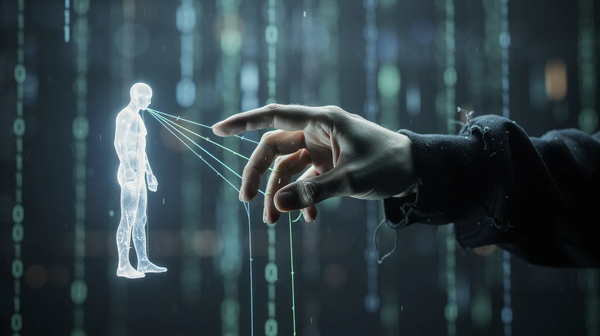
Essential Guide to Phishing: Identify and Protect Yourself from Scams
Phishing is among the most pervasive threats to organizational and personal security today. Effective defense now requires much more than just robust firewalls and encryption. As technical security measures become more robust, cybercriminals have shifted their focus toward the weakest link in the security chain: the human element. Mobile devices, especially smartphones, are increasingly targeted by phishing attacks, including SMS-based scams, due to their limited URL display and fast internet access. This is where phishing comes in.
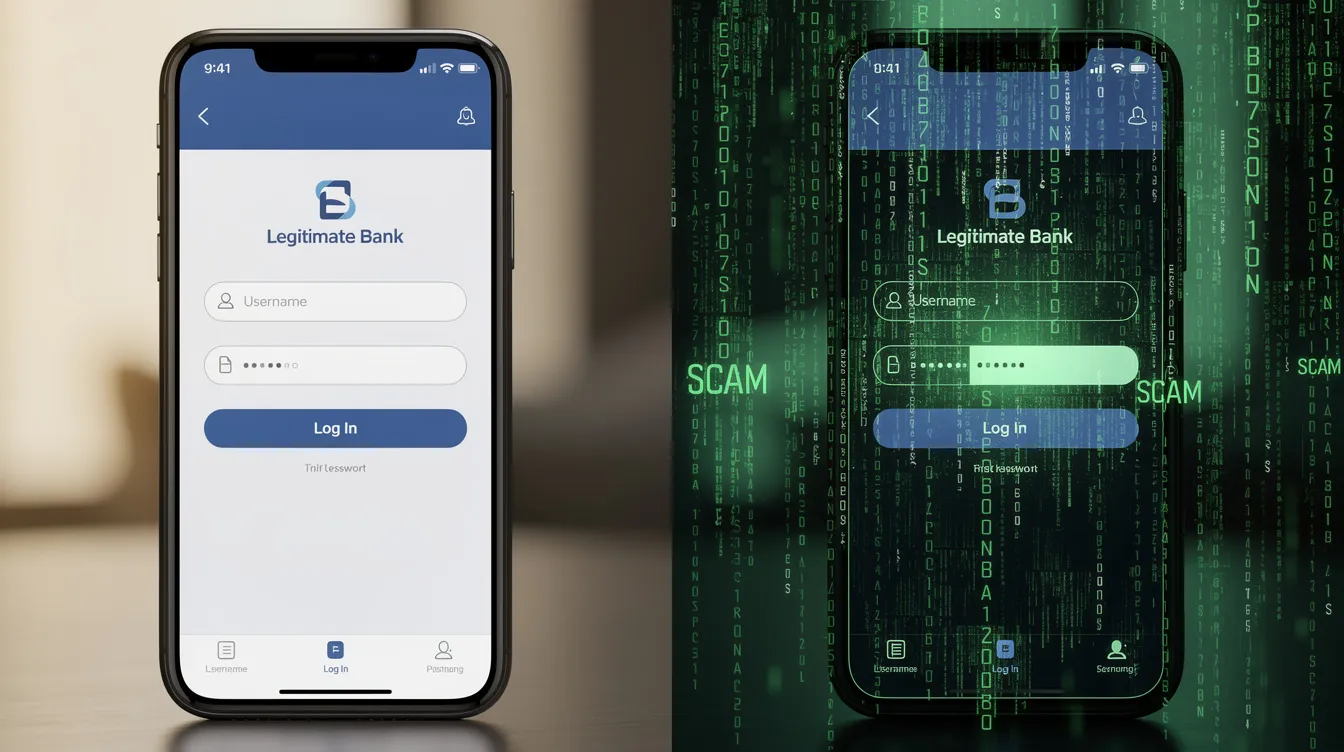
A phishing attack is a form of social engineering that uses deception to trick individuals into revealing sensitive information or installing malware. Social engineering is the use of psychological manipulation to deceive individuals into performing actions or divulging confidential information. One of the primary methods used in phishing attacks is the use of fraudulent emails, which are designed to deceive recipients and facilitate cybercrimes. Attackers often create phishing websites — malicious sites designed to mimic legitimate login pages — to steal sensitive information.
A phishing attack is a significant threat because it exploits people rather than technological vulnerabilities. By using social engineering, attackers trick individuals into revealing sensitive information or installing malware. Phishing often uses social engineering techniques to trick users into performing actions such as clicking a link or revealing sensitive information. In 2023 alone, 71% of organizations experienced at least one successful phishing attack, making it the most common data breach vector today.
This guide explains what phishing is, how it works, common techniques, how to recognize and prevent attacks, and what to do if you are targeted. It is intended for anyone who wants to protect themselves or their organization from cyber threats. Phishing is the most common data breach vector, accounting for 15% of all breaches. Breaches caused by phishing cost organizations an average of USD 4.88 million according to IBM research.
Introduction to Phishing

In the vast digital wilderness where millions traverse unseen pathways each day, phishing emerges as perhaps the most cunning predator — one that stalks not through technical vulnerabilities, but through the intricate landscape of human psychology itself. Like master trackers reading subtle signs in nature, cybercriminals craft their deceptive communications with remarkable precision, weaving emails, text messages, and voice calls into elaborate snares designed to capture the most precious quarry: our personal and financial secrets. These digital hunters understand that bank account details, login credentials, and confidential data represent treasures worth pursuing through the most sophisticated of deceptions.
Observe these predatory artisans at work, and you'll witness manipulation elevated to an almost breathtaking craft. They create urgency like a sudden storm on the horizon, pressing their targets to act before rational thought can intervene. Picture the moment: a message arrives bearing urgent warnings that your account teeters on the brink of suspension, demanding immediate verification through a seemingly innocent click. These communications arrive through multiple channels — emails that glide into inboxes like silent hunters, text messages that pulse with false urgency, phone calls that crackle with manufactured authority. Each method represents a carefully chosen tool, engineered to extract sensitive information or plant malicious software like seeds in fertile digital soil.
The aftermath of falling into these elaborate traps can unfold like a cascade of consequences, from the devastating theft of identity to financial losses that echo through lives like ripples across still water. Yet there exists a path through this treacherous terrain — one illuminated by knowledge, awareness, and the careful observation of warning signs that reveal themselves to the trained eye. Understanding how these digital predators operate transforms us from vulnerable wanderers into seasoned explorers, capable of recognizing suspicious messages and malicious links as clearly as a naturalist spots tracks in fresh snow. Through vigilant observation and informed caution, we can protect our most valuable information from disappearing into the hands of those who would claim it as their own.
Understanding the Phishing Scam: How It Works
At its core, a phishing scam is a form of social engineering that uses deception.
Phishing Delivery Channels
Phishing attacks are delivered through various channels, including phishing emails, text messages, phone calls, social media platforms, and direct messages. Mobile devices, particularly smartphones, are especially vulnerable to phishing attacks like smishing, due to their limited ability to display full URLs and the prevalence of fast, on-the-go internet access. These attacks can also be used to install malware on victims’ devices. Detailed trends on these delivery methods can be found via the Anti-Phishing Working Group (APWG).
The Psychology of Deception
Phishing attacks exploit human psychology rather than technical vulnerabilities. Most phishing messages typically impersonate trusted entities to mislead users into divulging private information. By using emotional triggers such as fear, greed, and urgency, phishing scammers compel victims to act. Attackers rely on social engineering tactics to manipulate victims, making these schemes highly effective.
Emotional Manipulation Tactics
A common tactic is creating a sense of urgency. Phishing emails and text messages often tell a story — such as a compromised bank account or a fake invoice — to trick you into clicking on a link or opening an attachment. This pressure manipulates victims into acting quickly without thinking, which is why phishing scams are so effective at bypassing standard network monitoring tools. Phishing emails often contain generic greetings and vague messages to create a sense of urgency, tricking users into clicking links or providing information.
Now that we've explored how phishing scams operate, let's examine the most common techniques attackers use.
Types of Phishing
In the shadowy realm of digital deception, phishing attacks unfold like masterful illusions, each variant employing distinct channels and artfully crafted social engineering techniques to ensnare unsuspecting users into surrendering their most precious digital secrets. The most prevalent of these digital predators manifests through email phishing — a vast, coordinated symphony where attackers orchestrate mass email campaigns that masquerade as communications from beloved, trusted institutions. These meticulously crafted phishing expeditions deploy sophisticated fake websites and treacherous links, creating elaborate digital mirages designed to harvest login credentials, financial treasures, and other coveted sensitive data with ruthless precision.
Spear phishing elevates this dark art to breathtaking new heights, transforming the broad net into a laser-focused harpoon aimed at specific individuals or organizations through intensely personalized messages that pulse with authenticity. In these targeted phishing expeditions, digital hunters conduct extensive reconnaissance on their quarry, weaving together convincing emails and direct messages that slip past defenses like whispers in the wind. You can read more about Business Email Compromise (BEC) at the FBI’s official site.
Voice phishing, known in the cybersecurity wilderness as vishing, employs the intimate medium of telephone calls to impersonate the voices of banks, government agencies, and reputable companies, applying psychological pressure that compels victims to willingly share their most guarded information through spoken word. Smishing, by contrast, harnesses the immediacy of text messages to weave irresistible lures that draw users toward malicious links or coax them into revealing confidential treasures through their fingertips. Across this entire spectrum of digital predation, attackers deploy increasingly sophisticated social engineering techniques, constructing elaborate fake websites that mirror reality with startling accuracy, making anti phishing awareness and unwavering vigilance absolutely essential weapons in our collective defense against these evolving threats.
The Impact of Phishing
The aftermath of a masterfully executed phishing attack unfolds like a digital catastrophe, leaving devastating ripples across the interconnected landscape of our modern world. Victims find themselves trapped in a web of identity theft, their financial foundations crumbling beneath them as sensitive information spills into the shadows of the internet. For businesses, a single, precisely crafted phishing strike can shatter customer trust, tarnish the hard-earned reputation of legitimate companies, and trigger a cascade of legal consequences that echo through boardrooms and courthouses alike.
Phishing emails emerge from the digital wilderness like cunning predators, their creators wielding link manipulation and social engineering techniques with the precision of master illusionists. These digital architects of deception craft their malicious links to masquerade as trusted allies, while their alarming messages pulse with manufactured urgency, designed to bypass the natural skepticism that protects us. In this high-stakes theater of manipulation, attackers orchestrate a symphony of false signals, increasing the likelihood that unsuspecting users will surrender their most sensitive information to these sophisticated charades.
To forge a robust defense against this evolving threat, organizations and individuals must embrace a comprehensive arsenal of protective measures — security software that stands sentinel, multi-factor authentication that creates layered fortifications, and regular data backups that preserve digital treasures. Yet equally vital is cultivating a culture of awareness, where understanding phishing tactics becomes as natural as recognizing the changing seasons, and reporting phishing emails and suspicious activity transforms into an instinctive response. By mastering the intricate patterns of different phishing attacks and maintaining vigilance against the latest social engineering techniques, we can collectively reduce our vulnerability, minimize the impact of successful strikes, and contribute to building a safer, more resilient digital ecosystem that protects and empowers all who navigate its vast territories.
Common Phishing Techniques
As cybercriminals evolve, so do their phishing techniques. Attackers are constantly developing new phishing techniques to evade detection and increase their success rates. Today, phishing campaigns are more sophisticated than ever, often using Phishing as a Service (PhaaS) platforms to easily fake trusted websites. Most phishing attacks target industries and sectors with high financial risk and valuable data, such as finance, healthcare, and government.
- Email Phishing: The most prevalent form of attack. Scammers send out mass phishing emails designed to look like they are from legitimate companies or a government agency. Attackers seek to steal user credentials, sensitive data, and sensitive financial data through these deceptive emails.
- Spear Phishing: A targeted phishing attack that uses personalized messaging to deceive a specific individual or organization. Spear phishing is a targeted phishing attack that uses personalized messaging to deceive a specific individual or organization. Spear phishing attacks often involve deep research into the targeted users. Business Email Compromise (BEC) is a type of spear phishing attack that targets businesses to steal money or sensitive information.
- Vishing: Voice phishing (vishing) is a phishing technique where attackers use phone calls to trick individuals into revealing sensitive information or performing actions that compromise security.
- Smishing: SMS phishing (smishing) is a phishing technique that uses text messages to deceive victims into providing personal details or clicking malicious links.
- Quishing: QR code phishing (quishing) is a phishing technique where scammers use QR codes to redirect users to malicious websites designed to steal personal information. For more on this trend, see the CISA alert on QR code risks.
- Link Manipulation: Scammers often use URLs and email addresses that appear legitimate at first glance but contain slight misspellings or misleading subdomains to lead users to fraudulent sites. Attackers use techniques to disguise malicious urls — such as subdomains, homograph attacks, IDN spoofing, link redirection, and URL shorteners — to deceive users and bypass spam filters.
Phishing attacks can result in identity theft, credit card fraud, monetary theft, extortion, account takeovers, and espionage. They often lead to malware infections, including ransomware, and can compromise entire corporate networks, sensitive business data, and client information. Phishing attacks have become increasingly sophisticated, often transparently mirroring the site being targeted so attackers can observe everything while the victim navigates the site. Modern phishing campaigns also increasingly target multi-factor authentication (MFA) systems, not just passwords.
Recognizing these techniques is the first step, but how can you spot a phishing attempt in real time? The following checklist highlights key warning signs.
Checklist: Red Flags of a Phishing Attempt
Before you click, pause and look for these telltale signs of a phishing attempt:
- [ ] Generic Greetings: Messages starting with "Dear Customer" instead of your name.
- [ ] Sense of Urgency: Threats of account suspension or legal action if you don't act "immediately."
- [ ] Suspicious Sender Address: The "from" name says Legitimate Bank, but the email address is
support@secure-login-check.com. - [ ] Mismatched Links: Hover your mouse over malicious links to see the real destination. If it doesn't match the text, it’s a malicious site.
- [ ] Requests for Sensitive Info: Legitimate organization representatives will never ask for your login credentials or bank account numbers over email.
- [ ] Unexpected Attachments: Malicious files (like .zip or .exe) disguised as invoices or shipping labels.
The Rise of AI in Phishing
AI is revolutionizing phishing attacks, making them more personalized and difficult to detect. AI-powered tools allow attackers to craft highly tailored phishing attempts by analyzing vast amounts of public data. Furthermore, deepfake technology now enables phishing scammers to create convincing audio and video impersonations for high-stakes vishing or social media posts.
As phishing attacks become more advanced with AI, understanding how attackers manipulate links is crucial for defense. Guidance on defending against AI-driven threats is available from the NCSC.
How Phishers Manipulate Links
Digital deception artisans demonstrate remarkable sophistication in their manipulation of hyperlink architecture, orchestrating elaborate schemes to redirect unsuspecting users toward fraudulent domains or malevolent downloads. Among their most refined techniques lies the careful crafting of deceptive uniform resource locators — employing subtle orthographic variations, strategic character substitutions, or domains that mirror legitimate financial institutions with extraordinary precision (utilizing techniques such as homograph attacks or typosquatting). These practitioners frequently leverage URL compression services to obscure true destinations, creating an additional veil of obfuscation that challenges even vigilant scrutiny.
The psychology of urgency forms the cornerstone of these sophisticated social engineering campaigns, wherein perpetrators craft compelling narratives designed to circumvent natural skepticism — asserting, for instance, imminent account suspension unless immediate action is taken. Such methodologies are deliberately architected to exploit cognitive vulnerabilities, compelling disclosure of sensitive credentials or installation of malicious payloads. Establishing rigorous practices of hyperlink verification (through cursor hovering to reveal authentic destinations) represents fundamental digital hygiene. When confronted with suspicious or unfamiliar elements, embracing cautious restraint demonstrates wisdom. Cultivating sustained vigilance regarding link manipulation constitutes one of the most effective defensive strategies against sophisticated phishing methodologies. You can check suspicious URLs safely using tools like Google Safe Browsing.
With a clear understanding of how attackers manipulate links, let's explore practical steps you can take to protect yourself and your organization from phishing.
Anti-Phishing: How to Protect Yourself
To combat phishing, a combination of technical security measures and user awareness is required. Protecting sensitive customer data from phishing attacks is critical, as attackers often target organizations to steal valuable information. Organizations like the Anti-Phishing Working Group (APWG) work globally to track and provide phishing detection resources.
Multifactor Authentication (MFA)

Multifactor Authentication (MFA): This requires at least two factors when logging in, which mitigates risks associated with identity theft. For detailed standards on MFA, visit the FIDO Alliance.
Reporting Phishing
If you receive suspicious emails, do not interact. Report phishing emails to your IT department or the legitimate organization being spoofed. If you suspect your information has been compromised, also contact your bank or other financial institutions immediately. You can also report incidents to the FTC at ReportFraud.ftc.gov.
User Awareness Training
Education is vital for creating a security culture. Simulated phishing campaigns are commonly used by organizations to test employee training.
Use Strong Passwords
Using unique passwords for all user accounts ensures that one successful phishing scam doesn’t compromise your entire digital life. Consider using a trusted Password Manager.
Spam Filters
Deploy advanced spam filters that use machine learning and natural language processing to help block phishing emails before they reach users’ inboxes.
Phishing can lead to significant financial damage, reputational harm, and legal consequences for organizations. Additionally, phishing scams can harm the reputation of the companies they spoof. By implementing these anti-phishing strategies, you can significantly reduce your risk. But what should you do if you suspect you've been targeted by a phishing attack? The next section explains the steps to take.
Reporting Phishing: What to Do If You’re Targeted
When the digital landscape reveals the telltale signs of a phishing expedition targeting you, swift, decisive action becomes your most powerful tool — not merely for safeguarding your own digital territory, but for contributing to the broader conservation of our shared cyber ecosystem. Begin this crucial journey by documenting and reporting these deceptive emails to your email provider, and when possible, alert your organization's IT guardians who stand watch over digital frontiers. Consider extending your reach to specialized defenders like the Anti-Phishing Working Group, a dedicated collective that meticulously gathers intelligence to dismantle fraudulent websites and trace the architects of these digital deceptions.
Steps to Take After a Phishing Attempt
As you embark on this reporting expedition, capture every detail with the precision of a field researcher: preserve the complete email header like a specimen’s genetic code, record the exact coordinates of the fraudulent website’s URL, and catalog any suspicious attachments or messages that reveal the predator’s hunting patterns. This treasure trove of evidence becomes invaluable ammunition in the global campaign against digital deception, creating protective barriers that shield fellow travelers from encountering identical traps.
Should you discover that you’ve already ventured into compromised digital territory or inadvertently shared your personal treasures, immediately fortify your defenses by transforming your passwords, maintain vigilant surveillance over your accounts for any signs of intrusion, and alert your financial institutions to potential threats. If you suspect your sensitive personal information, such as your social security number, has been compromised, take immediate action by monitoring for identity theft and placing fraud alerts on your accounts via IdentityTheft.gov. Through rapid reporting and these proactive guardianship measures, you become instrumental in minimizing identity theft risks while helping to halt these predatory campaigns before they can claim additional victims.
Conclusion: Key Takeaways on Phishing Prevention
In the vast, interconnected wilderness of our digital landscape, phishing lurks as one of nature's most cunning predators — persistent, adaptive, and always seeking vulnerable prey. Yet like any skilled explorer venturing into uncharted territory, you can navigate these treacherous waters with wisdom, respect, and the right survival tools. Picture the moment an unexpected message appears in your inbox, urgently demanding immediate action or precious personal information — this is the predator's call, designed to trigger instinct over intellect. Feel the weight of that pause before clicking, the careful examination of each link and sender, the deliberate choice to verify authenticity before proceeding deeper into potentially dangerous terrain.
Fortifying your digital expedition with multi-factor authentication and crafting strong, unique passwords creates a protective barrier as essential as any explorer's trusted gear — each layer of security a testament to your respect for the power and complexity of this electronic ecosystem. Immerse yourself in understanding the evolving tactics of spear phishing and voice phishing, sharing this precious knowledge with your fellow travelers, whether family members or organizational companions. Remember that navigating this digital realm demands the same reverence and constant awareness required of any great explorer — perpetual vigilance, regular education, and swift reporting of threatsdiscovered along the way. Together, as a community of digital pioneers united in purpose and respect, we can honor the integrity of this remarkable electronic world while safeguarding the sensitive treasures we carry on our shared journey through an increasingly connected planet.
Frequently Asked Questions (FAQ)
What is the difference between phishing and spear phishing?
While standard phishing is a "spray and pray" method sent to thousands, spear phishing is a targeted phishing attack where the malicious message is customized for a specific person or company.
Can I get phished just by opening an email?
Generally, simply opening an email is low risk. However, downloading malware from attachments or clicking malicious URLs within the email is where the real danger lies.
What should I do if I clicked a link in a phishing email?
If you clicked a link in a phishing email, take these steps:
- Immediately disconnect your device from the internet.
- Scan for malicious files using reputable antivirus software.
- Change your login credentials for any affected accounts.
- Report phishing to your financial institution if you shared payment data.
How do I know if a website is a fake website?
Check the URL carefully for misspellings (e.g., micros0ft.com instead of microsoft.com). Look for a padlock icon, but remember that many fraudulent sites now use SSL to appear safe. For verification, use a Site Safety Checker.